


In the digital landscape of 2026, the user journey begins long before a purchase is made or a comment is posted. It begins at the gate: the login and registration screen. For decades, WordPress administrators have struggled with the default wp-login.php page—a disconnected, unbranded, and frankly, archaic interface that disrupts the user experience (UX) and breaks design consistency. If you are serious about building a community, a membership site, or an e-commerce platform, relying on the default WordPress login is a critical mistake.
Enter Jupiter – Easy Login & Registration for WordPress. This isn’t just another form builder; it is a comprehensive identity management solution designed with the precision of the Bootstrap framework and the flexibility of modern AJAX standards. Whether you are looking to boost registration rates through Social Login or provide a seamless account management dashboard via shortcodes, Jupiter is the definitive wordpress login plugin you have been waiting for.
In this comprehensive guide, we will dive deep into why Jupiter is changing the game for WordPress developers and site owners globally, analyzing its features from a UX, SEO, and technical perspective.
The UX Crisis: Why Your Login Page Matters
Before we dissect the features of Jupiter, we must understand the problem it solves. User Experience (UX) is a ranking factor. Google’s algorithms prioritize sites that demonstrate high user engagement and low bounce rates. When a user wants to engage with your content but is redirected to a jarring, backend-style login page that looks nothing like your homepage, trust is eroded.
Jupiter was architected to eliminate this friction. By utilizing the Bootstrap framework, it ensures that your login and registration forms are not only responsive but also aesthetically aligned with modern web standards. A cohesive design keeps users immersed in your brand environment, increasing the likelihood of registration and retention.
Social Login: The Key to Explosive User Growth
One of the most significant barriers to entry for new users is the “Password Fatigue” phenomenon. Users are tired of creating new credentials for every website they visit. If your registration process requires them to think up a new password and verify their email before they can interact, you have already lost a percentage of your traffic.
Jupiter addresses this head-on with a robust Social Login implementation. This feature is not merely a convenience; it is a conversion tool.
Seamless Integration and Data Fetching
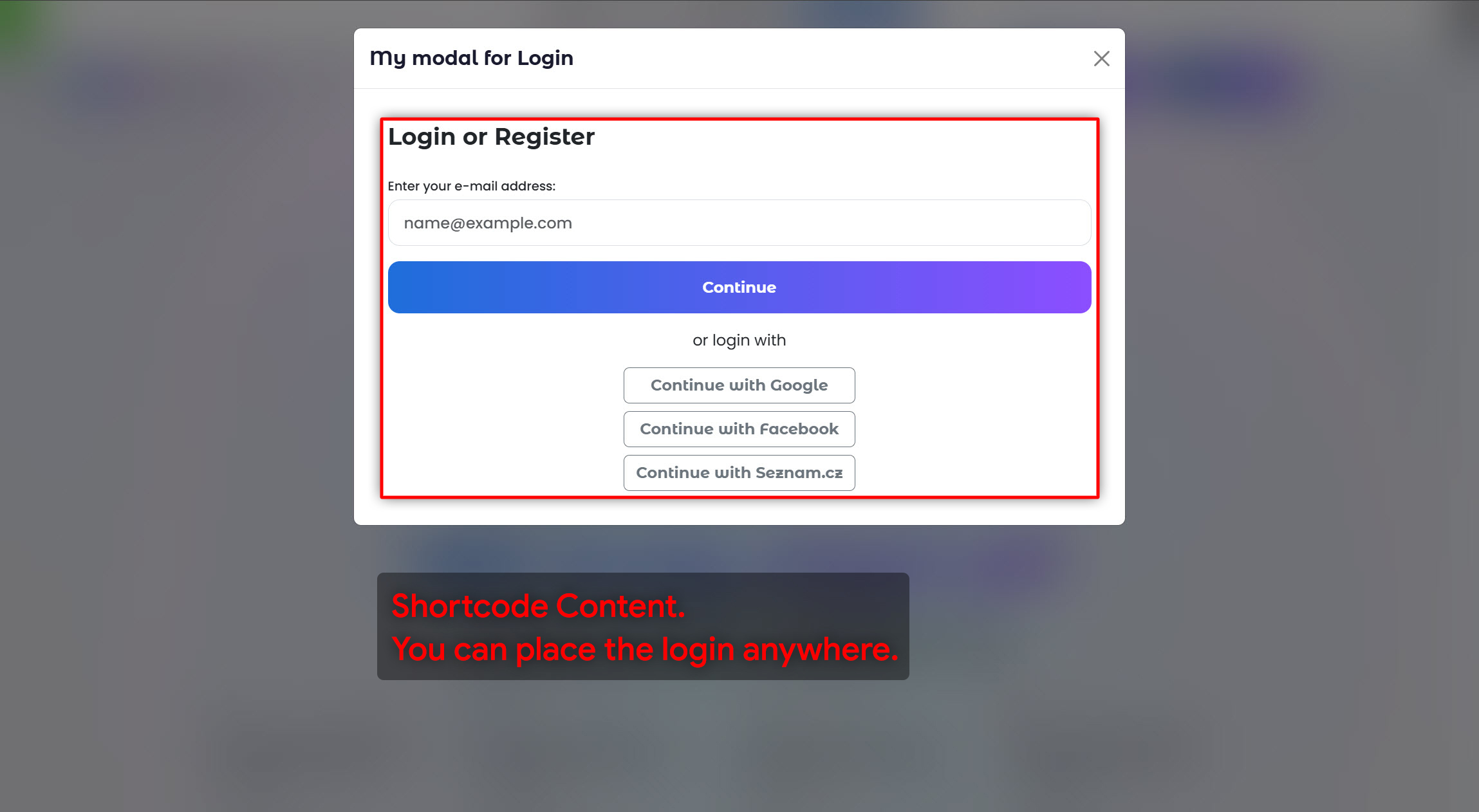
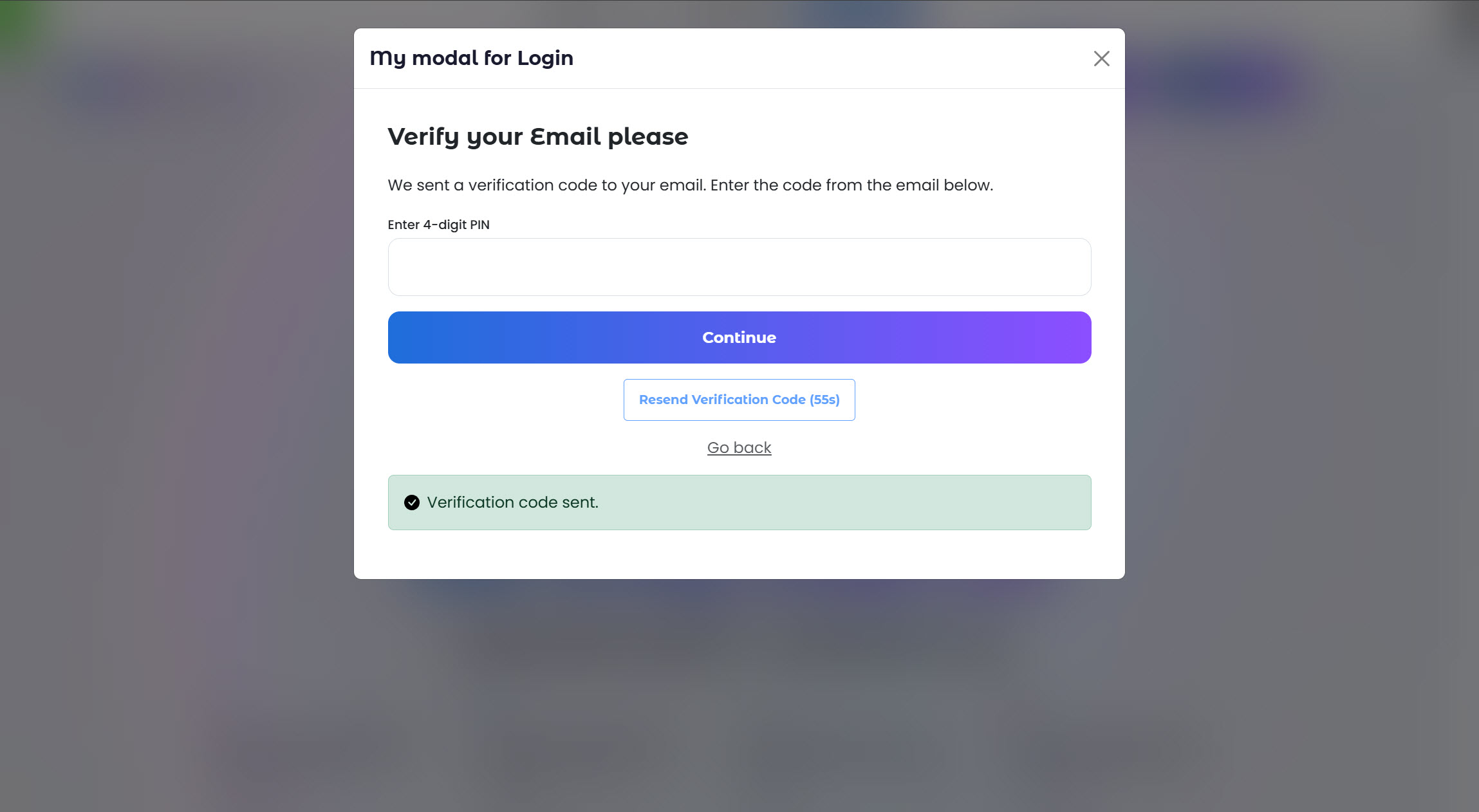
With Jupiter, users can register and log in using their existing accounts from platforms like Facebook and Google (or Seznam.cz for Czech and Slovakia market). This one-click entry drastically reduces the time-to-value for your users. But Jupiter goes a step further than basic authentication. It intelligently pulls available public data to populate the user’s profile immediately.
If a user logs in via Google, Jupiter automatically fetches their profile picture and sets it as their avatar on your WordPress site. This creates an instant sense of belonging and personalization. The user sees their own face in the corner of your site immediately after clicking “Login,” creating a powerful psychological hook that encourages further interaction.
Mastering the Shortcode: Placement Freedom
The true power of a modern wordpress login plugin lies in its flexibility. Rigid plugins that force you to use specific page templates are obsolete. Jupiter is built around a modular architecture driven by Shortcodes. This allows you, the site architect, to place login and registration forms exactly where they make the most sense for your specific layout.
The Login & Register Shortcode
Imagine you have a complex homepage layout. You might want a login form in the sidebar, or perhaps embedded directly inside a promotional hero section. With Jupiter, you simply copy the login shortcode and paste it anywhere.
Because the plugin utilizes AJAX login and registration technology, these forms work flawlessly regardless of placement. There are no page reloads. When a user enters their credentials in a footer widget or a sidebar, the system validates the data in the background and logs them in instantly without refreshing the entire page. This smoothness is characteristic of high-end Single Page Applications (SPAs) and brings a premium feel to your WordPress site.
The “Account Settings” Shortcode
This is where Jupiter truly separates itself from the competition. Most login plugins handle the entry, but they fail to handle the management. What happens when a user wants to change their password or update their email? Usually, they are dumped back into the ugly WordPress backend (/wp-admin/profile.php).
Jupiter provides a dedicated shortcode for Account Settings. You can embed this shortcode into a custom “My Profile” page, or even better, inside a Bootstrap Modal window.
Scenario: You create a button in your navigation menu labeled “Settings” that is only visible to logged-in users. When clicked, a beautiful modal pop-up appears (powered by Bootstrap). Inside this modal, thanks to the Jupiter shortcode, users can:
- Change their Display Name: Update how they are seen by the community.
- Update Email Address: Manage communication preferences.
- Change Password: Secure their account without visiting the backend.
- Manage Avatars: This is a crucial feature for community sites.
Avatar Management: Gravatar and Beyond
Identity is everything in online communities. Jupiter offers a sophisticated approach to user avatars. By default, the plugin supports Gravatar, the standard for WordPress globally. If a user has a Gravatar associated with their email, it displays automatically.
However, many users do not have Gravatars set up. Jupiter allows these users to upload their own custom profile pictures directly through the front-end interface (via the Account Settings shortcode discussed above). This file handling is secure and seamless.
Furthermore, as mentioned regarding Social Login, if the user registers via a social network, Jupiter prioritizes the social profile picture. This hierarchy of avatar sourcing (Social > Custom Upload > Gravatar) ensures that you almost never have the dreaded “generic mystery man” silhouette on your forum or comment section.
Technical Excellence: Bootstrap & AJAX
For the developers and designers reading this, the architecture of Jupiter is built to make your life easier. The plugin is strictly compliant with Bootstrap standards. This means if your theme is built on Bootstrap (which a vast majority of modern themes are), the login and registration forms will inherit your site’s styling immediately. The buttons, the input fields, and the typography will match your brand guidelines without requiring hours of custom CSS.
The AJAX engine is the backbone of the plugin’s performance. By handling requests asynchronously:
- Speed: Users don’t wait for page reloads.
- Stability: It reduces server load by only transmitting necessary data.
- Error Handling: If a user types the wrong password, the error message appears instantly and elegantly, rather than reloading the page to show a red box at the top.
SEO & GEO Optimization Benefits
You might ask, “How does a login plugin affect SEO?” The answer lies in Dwell Time and Bounce Rate. A frustrating login experience causes users to leave. A seamless, social-integrated login encourages them to stay, comment, and interact. Google tracks these engagement metrics.
Furthermore, by keeping users on the front end (rather than the /wp-admin/ backend), you maintain the continuity of your internal linking structure and navigation, which is beneficial for site crawling. Jupiter ensures that your user flow is hermetically sealed within your branded environment.
Why Choose Jupiter from WPBase.eu?
Jupiter is developed by the team at wpbase.eu, a hub for high-quality, performance-oriented WordPress solutions. When you download Jupiter, you aren’t just getting a plugin; you are getting support from a team dedicated to clean code and superior user interfaces.
Get the plugin here: Jupiter – Easy Login & Registration for WordPress
The login page is the handshake between your website and your user. A limp, awkward handshake leaves a bad impression. A firm, professional handshake builds trust. Jupiter ensures your website’s handshake is firm, stylish, and welcoming.
With features ranging from robust Social Login and intelligent Avatar Management to the flexibility of Shortcodes and the speed of AJAX, Jupiter is the definitive choice for any site owner looking to elevate their platform. Stop relying on the default WordPress login. Upgrade to a solution that respects your users and enhances your brand.
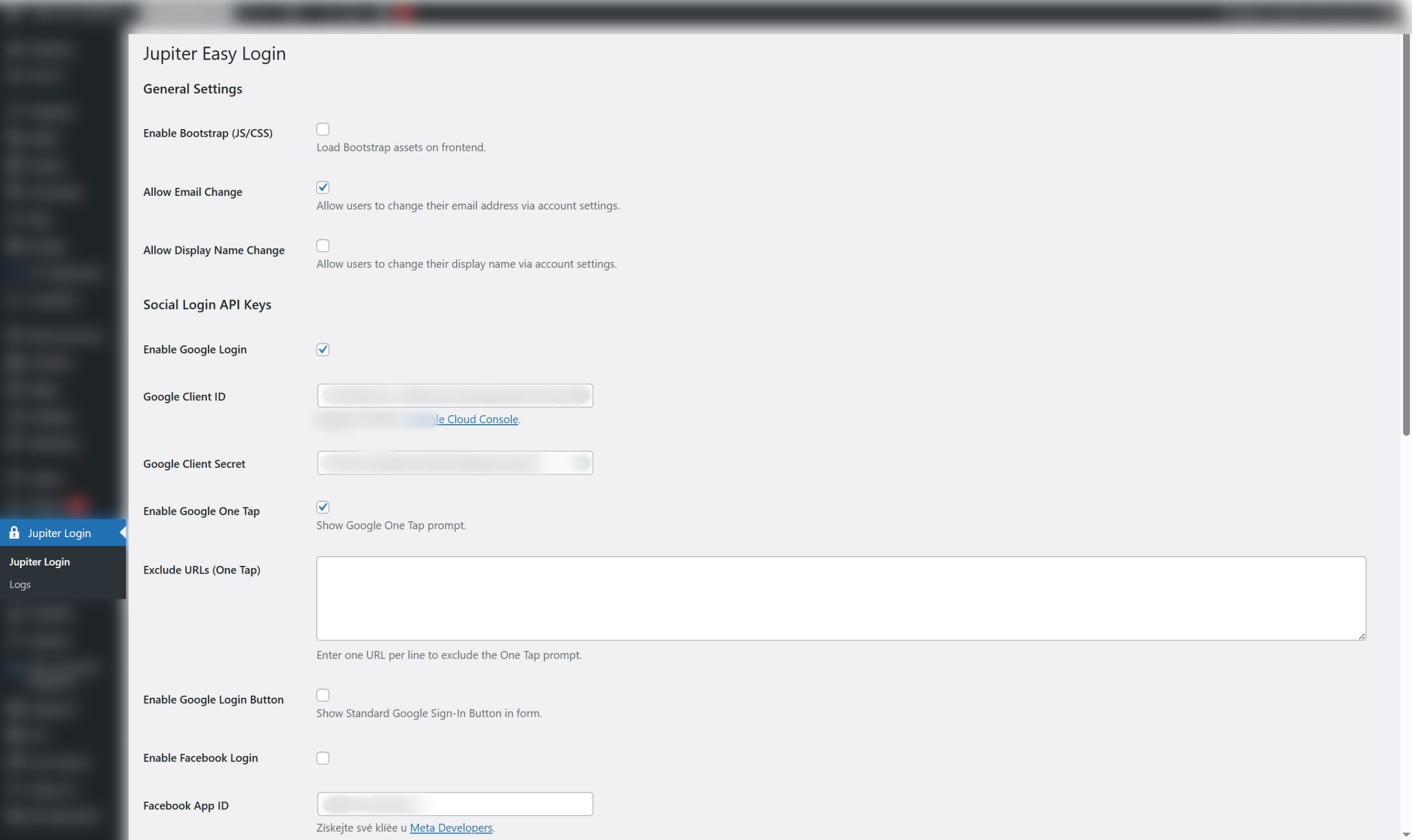
Jupiter is designed by developers, for developers. We prioritize performance over bloat—no unnecessary configuration tabs, no heavy JavaScript, and no imposed styling. Jupiter delivers a robust, functional backend for authentication, while the visual customization is left entirely up to you and your theme’s CSS.
Ready to transform your registration process? Visit WPBase.eu today and install Jupiter Easy Login.